

VIA’s IT Department has three employees in its Client Management Department, who takes care of a total of 7,000 computers divided between VIA’s own organization and their cooperation partners. They do this with CapaInstaller.
VIA is one of Denmark’s six university colleges. Danish university colleges are universities of applied sciences and offer the majority of the country’s professional bachelor degree programmes. VIA’s programs, courses, and research focus on professional practice in areas such as healthcare, teaching, social education, technology, business, and design.
Economies of Scale at the IT Department
7,000. This is the number of computers that are prepared and maintained using CapaInstaller by a team of centralized and local supporters at VIA IT.
The guys at VIA University College know what it means to have a solid overview of your IT infrastructure.
VIA’s IT Department has three employees in its Client Management Department, who takes care of a total of 7,000 computers divided between VIA’s own organization and their cooperation partners, including, among others, the Danish School of Media and Journalism and ITS, which is an IT community of some 20 other schools in Central and Northern Jutland.
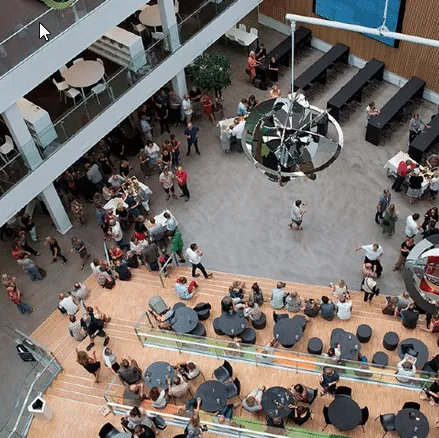
CapaInstaller Generates Economies of Scale for VIA IT
When you are entrusted with the management of that many computers, the most important thing is to maintain an orderly structure so that everything, from new updates to maintenance, stays easy and transparent:
“Just like any other organisation with lots of computers, we always try to put them into one or another form of structure — both when it comes to making computer installation standardised and relatively easy and when we talk maintenance,” says Tim Kirketerp, Head of Infrastructure at VIA IT, and continues:
“It is a matter of offering our users a good solution so they can themselves pick the software afterwards, when they have the computer. And this is exactly what CapaSystem does for us: it makes sure that the three employees of mine on the Client Management team can prepare their installations and make sure that they are always up to date with drivers and Windows versions.”
Thus, when installing a new computer, it is important to make everything as frictionless as possible, and this is the task of our Client Management employees.
They are namely entrusted with the central management of those 7,000 computers. In addition to them, there are local IT supporters at the 30 addresses supported by the IT Department, who press a button to activate the new installations.
Flexible and Responsive Cooperation
In line with the growing cooperation with VIA, there has been plenty of discussion about how we can do our jobs in the best way possible.
“Over the years, our team has enjoyed an excellent dialogue with CapaSystems, and they have been very responsive to our requests about the system. We know that the system works, and CapaInstaller makes our job easier by being simple and transparent, allowing my three colleagues to react with lightning speed using CapaInstaller.”
Quick reaction time was something the IT Department had to pick up in no time during the coronavirus lockdown in March 2020, which caused certain challenges and generated, in particular, a number of other tasks for the Department. This is why we screwed on a couple of parameters to a sustainable VPN solution that solved some of the IT “pickles” they had run into.
“Since users were not on the network as often as was required by CapaInstaller to function to its optimum, we feared we could fall behind with regard to our software roll-outs,” says Tim Kirketerp and continues:
“But we solved this challenge by working with CapaSystem and a VPN connection, so we have more or less taken care of this,” says Tim Kirketerp.
Reporting and IT Security
With so many devices in several locations, reporting is an important part of the maintenance of an IT infrastructure.
Therefore, VIA uses CapaInstaller for reporting so that they know how many people have a specific program and if there are some who do not have it or lack an update.
“We can get quick feedback from our users, which helps us realise if, for example, we are behind with updates or suchlike. So we use CapaInstaller to find out how far ahead we are and what we are missing as well as if there is something left to deal with.”
In addition to user reporting, Tim Kirketerp and his team uses this information for their IT and information security.
“As we can react faster and reach many computers, this also means that we can quickly plug security holes if there is a vulnerability in a certain software program. After all, CapaInstaller guarantees such a speed that we can update all computers in a flash. This, I think, is important,” says Tim Kirketerp and continues:
“Nowadays, it is important to have a high security standard, which is why we direct a lot of our focus in this direction. We must make sure that we are not attacked, while at the same time ensuring it that we meet the legal requirements.”
Standardization Provides Structure
When you manage so many units, you need a technical setup that can handle the generated traffic, while simultaneously ensuring that security is always up to date.
Therefore, CapaInstaller gives VIA certain economies of scale that Tim Kirketerp emphasizes and concludes:
“As an IT engineer, I will, after all, stress the economy of scale — barring that our team of supporters could never make our 7,000 computers run as they should. Thanks to the structure we have introduced for our user computers, we can react in a timely and standardised fashion.”
The Many Benefits
VIA University College points out the following benefits:
- Super simple to work with
- Easy and clear
- Speeds up the IT department
- Gives a solid overview
- Makes the IT tasks easier
- Good opportunity for reporting